We keep one small item in your browser to remember your choice. If you agree, we also send one anonymous visit ping a day to our own server and show the live GitHub star count. No advertising, no third-party trackers.
WeightsLab runs next to your training script and opens in your browser, on your machine.
WeightsLab by Graybx
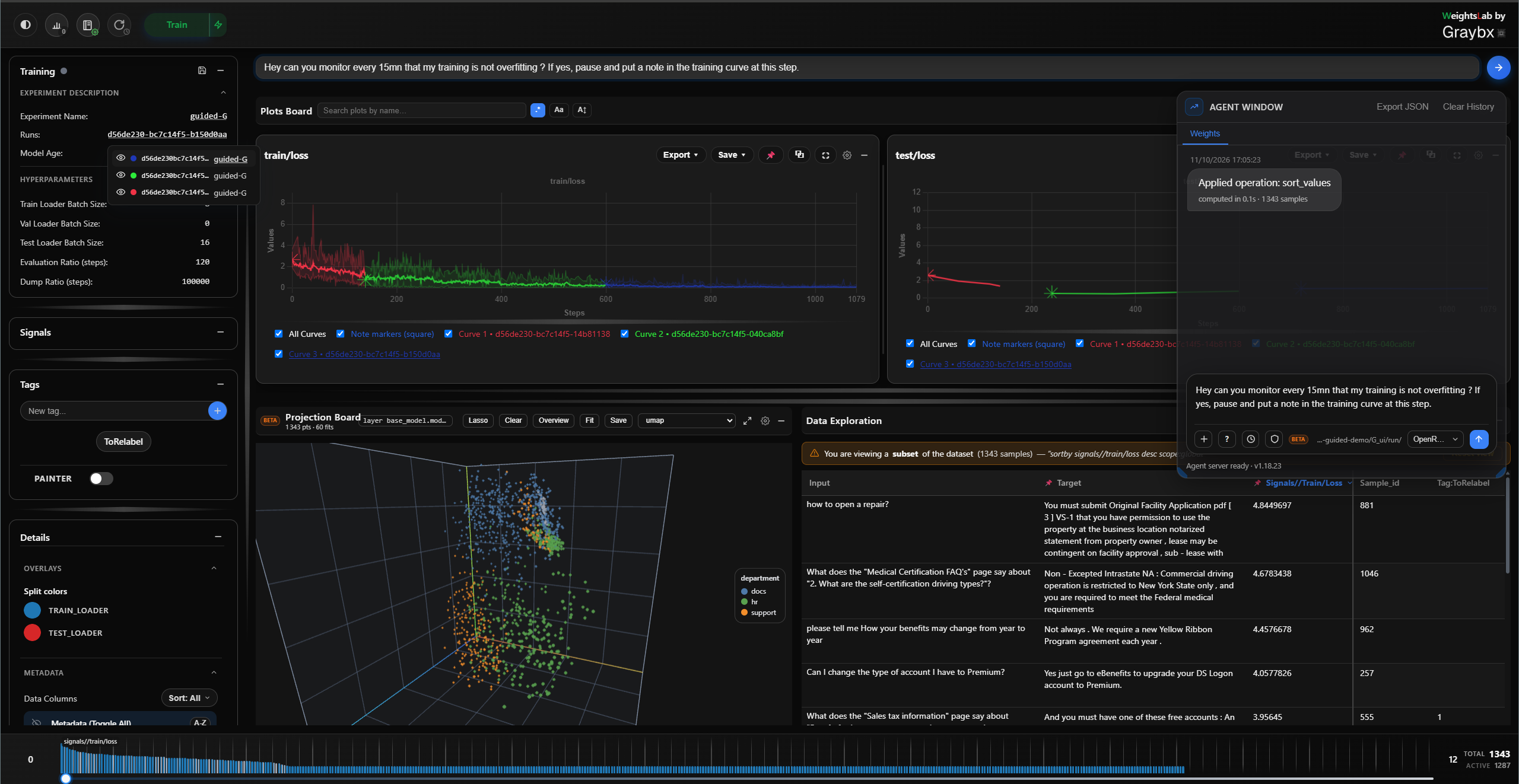
Experiment workspace
Pause training, compare runs and analyse experiments in one place.
In-training signals
Per-sample loss and your own custom signals point to data issues as they appear.
Agent-assisted
Talk to your experiment, signals and data in natural language. Bring any LLM, hosted or local.
Built-in agent · Bring your own LLM
Any LLM provider, or a local LLM.
The agent runs on OpenCode, so it works with any LLM provider OpenCode supports, hosted or on your own hardware. Your provider credentials stay in OpenCode, never in WeightsLab. With a model you host yourself, the agent works air-gapped and your sample-level data stays on your machine.
import weightslab as wl
# <your code>: cfg, model, optimizer, train_ds ...# wrap what you already have: one call per object
hp = wl.watch_or_edit(cfg, flag="hyperparameters")
model = wl.watch_or_edit(model, flag="model", device=device)
optimizer = wl.watch_or_edit(optimizer, flag="optimizer")
loss = wl.watch_or_edit(
nn.CrossEntropyLoss(reduction="none"), # one value per sample
flag="loss", signal_name="train/loss", log=True)
loader = wl.watch_or_edit(
train_ds, flag="data", loader_name="train_loader", is_training=True,
batch_size=hp["data"]["train_loader"]["batch_size"], shuffle=True)
wl.serve(serving_grpc=True, serving_cli=True)
# your training loopfor epoch inrange(epochs):
for step inrange(steps_per_epoch):
with wl.guard_training_context:
inputs, uids, labels = next(loader)
optimizer.zero_grad()
logits = model(inputs)
loss_per_sample = loss(logits, labels, batch_ids=uids,
preds=logits.argmax(1, keepdim=True))
loss_per_sample.mean().backward()
optimizer.step()
# <your code>: logging, anything else per step# <your code>: evaluation, checkpoints
$ weightslab start # launches the UI
How it works
Observe, diagnose and intervene inside the run.
WeightsLab wraps your PyTorch data loader, model and loss. After that you can look at every sample and weight, and edit them, while training keeps going.
Signalstrain_loader
Samples per event8,000 samples · 24 events
most frequent eventsrarest events →
“Pick up toy”1,900 samples · well represented · model succeeds
“Pour water in …”14 samples · rarely seen · model fails
loss
confidence
weight health
custom: blur_score
custom: label_agreement
Agentnatural language
Why is the loss stuck on night scenes?
Night frames are 1.8% of the training set, but their mean loss is 3.1× the run average. 38 of them have lane labels missing.
Tag as annotation_errorShow the 38 samples
Are the rest just hard, or also noisy?
Actionseditor mode
Tag 38 samplesannotation_error
Drop 12 near-duplicatesdiscarded
Lower the learning rate1e-3 to 3e-4
Resume from checkpointSame run, same weights; no restart from scratch.
Resume
On-prem · Licence
On-prem for every customer, whatever they train.
WeightsLab always runs on your infrastructure. Your data, your models and your GPUs stay where they are. It is free for students and individuals, and licensed per seat for organisations of any size.
Physical AI
Sensor data and IP stay on your site
Robot demonstrations and camera, video and LiDAR streams, including the edge cases in them, never leave your infrastructure.
Radiology and pathology data never leaves your site. WeightsLab connects model behaviour to individual samples, which helps where data quality and explainability matter.
Images and annotations stay on your own storage
Trace model behaviour back to individual samples
Find rare cases and likely mislabels from per-sample loss
Free for students and individuals. Licensed per seat for companies.
WeightsLab runs on your own infrastructure, with the same deployment for every user. Students and individuals working on personal projects can use it free of charge. For companies, whatever their size, WeightsLab is licensed per seat, one seat per user. Get in touch and we will walk you through the terms for your team.